
1. Add GrownBy Register to your plan
Every farmer on GrownBy is on a GrownBy plan. You can choose GrownBy Register as your plan, or add it to your current plan as an add-on.
- New farms: Create a GrownBy account and choose GrownBy Register when you select your plan.
- Existing farms: Go to Account Settings → Membership & Plan → Change Plan, then select the GrownBy Register plan or add the Register add-on to your current plan.
Co-op members receive 10% off all plans and add-ons. If you add Register partway through a billing cycle, it's prorated and billed right away.
2. Get the appropriate device
GrownBy works on any iOS Apple device and Android phones or tablets. If you are using a tablet and on some mobile devices, you will need an external Stripe M2 card reader to accept payments. Many mobile devices do not need a card reader as they can accept Tap to Pay with Stripe. For more information on the devices needed for Register, see What devices can I use Register on?.
3. Download GrownBy Register on a tablet or mobile device
Android - GrownBy Register at the Google Play Store
iOS - GrownBy Register at the Apple App Store
4. Log into your GrownBy Account and Start Adding Products
After downloading the GrownBy Register app, you'll be prompted to sign up or log into your GrownBy account. Simply enter your credentials and it will take you to the Register home screen. To start selling, you must add products from your catalog into Register or add a new product to Register. For existing farms, we recommend adding your products to Register on a desktop through our bulk edit feature.
Detailed step by step instructions on adding existing products and new products to Register:
- Adding Existing Products to Register
- Add New Products to Register
- If you are switching over from Square, you can import all of your products to Register automatically: Importing Square Products
5. Set up Payment Devices
Once you have set up your Register farm store, you can process payments through the mobile device Tap to Pay feature, a Stripe M2 card reader, or a Fortis card reader. If you choose to use a tablet, you must purchase an M2 card reader from Stripe to process payments.
To set up Tap to Pay, check out the linked article.
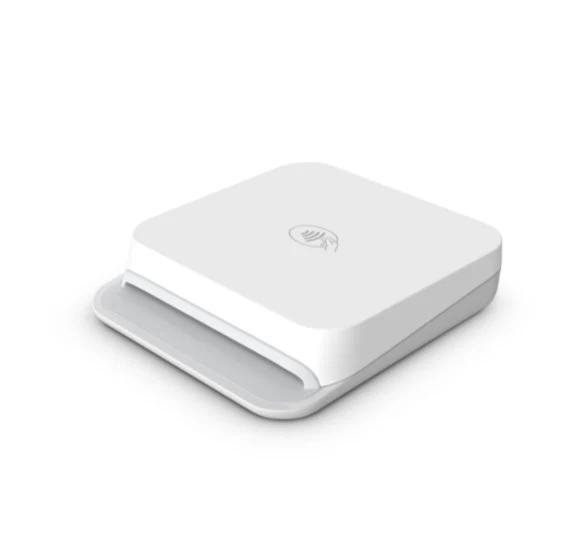
We recommend this M2 card reader from Stripe.
6. Start Selling!
Now that you've set up products in your farm store and a payment system, you are all ready to start selling at your in person farm store or farmers market.
Take a look at this article to see the process of your first order on Register.